FANUC Series 30i/31i/32i-MODEL A Specification for Machining Data Management Function Additional Manual Page 2
Additional Manual
A-90226E
Title
Draw
No.
Ed. Date Design Description
Date Sep.15.’05 Design. Apprv.
2/6
page
F
ANUC Series 30
i
/31
i
/32
i
-
MODEL A
Specification for
Machining data management function
1.1 Machining data management function
Overview
This function manages the folders that are distinguished by the kind of
machining. The machining data can be newly made and selected in
machining data management screen.
Template folder is installed, and model program can be made into the folder.
When new machining data folder is made, the machining data can be made
from the model program. Therefore, machining program can be made
efficiently.
Detail
The machining data folders have each kind of machining data (machining
program data and tool offset data, etc) that is necessary for machining.
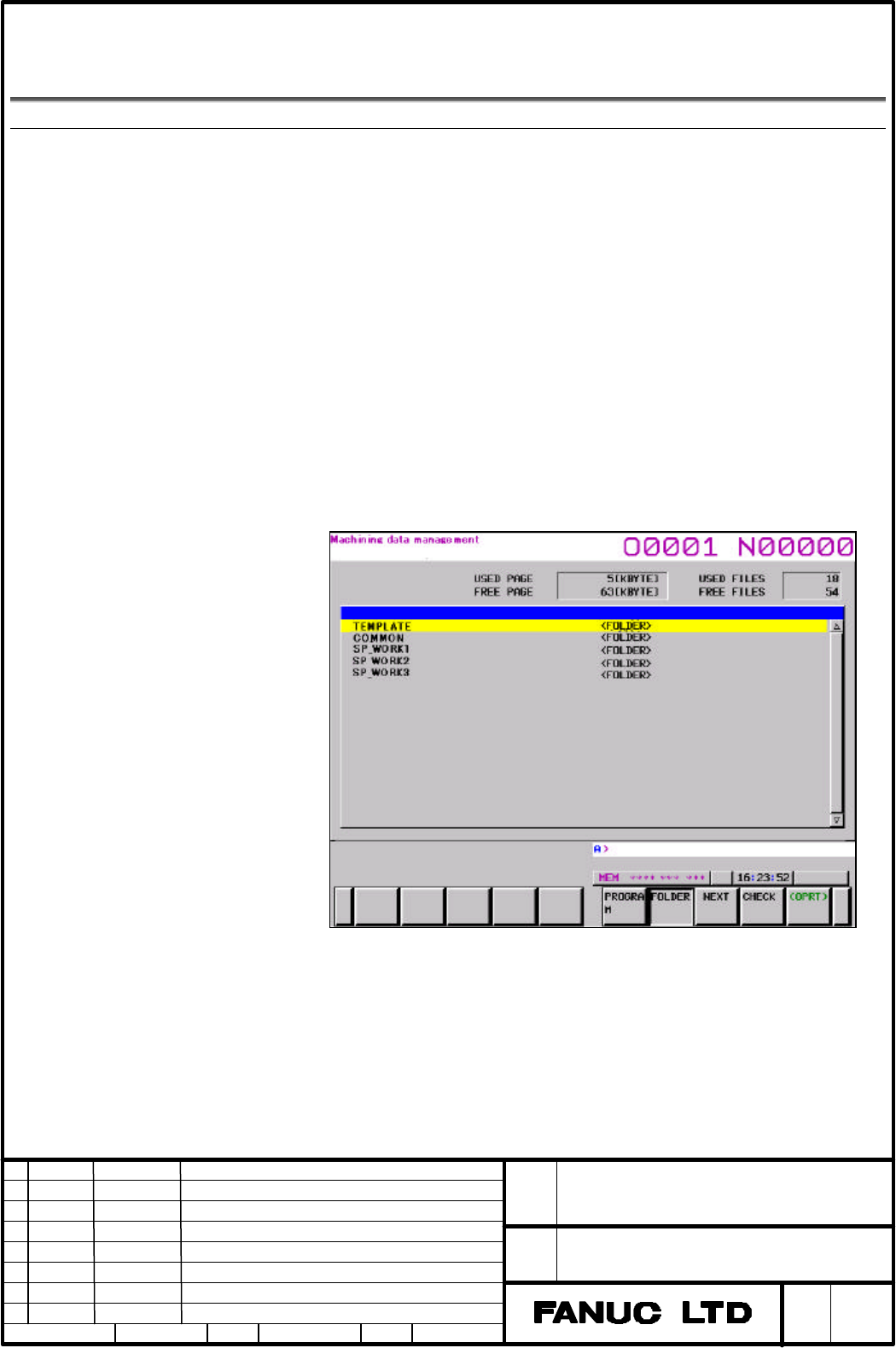
The machining data folder is displayed in machining data management
screen, and the folder on desire can be selected. And the folder can be made,
deleted and copied.
The machining data folders exist every path independently. And machining
data that can be used in all paths is stored in COMMON folder.
Fig. 1.1. (a) Machining data management screen
Machining data
In the machining data folders, there are main program and subprogram. Tool
offset data, workpiece origin offset data, custom macro variable, tool
management data etc which are necessary for machining is stored as
program written by G10 format (refer to the program below) in machining
data folder. Before executing machining program, each data must be set in
CNC by executing G10 program.
Contents Summary of FANUC Series 30i/31i/32i-MODEL A Specification for Machining Data Management Function Additional Manual
- Page 1FANUC Series 30i/31i/32i-MODEL A Specification for Machining data management function FANUC Series 30i/31i/32i -MODEL A Title Specification for Machining data management function Draw No. A-90226E Ed. Date Design Description page 1/6 Date Sep.15.’05 Design. Apprv.
- Page 21.1 Machining data management function Overview This function manages the folders that are distinguished by the kind of machining. The machining data can be newly made and selected in machining data management screen. Template folder is installed, and model program can be made into the folder. When
- Page 3Example) - G10 program format for tool offset G10 G90 L10 P1 R1.000 /*Geometry offset for H code*/ G10 G90 L11 P1 R0.001 /*Wear offset for H code*/ G10 G90 L12 P1 R2.000 /*Geometry offset for D code */ G10 G90 L13 P1 R0.002 /*Wear offset for D code*/ - G10 program format for workpiece origin offset
- Page 4Protection function Protection for template folder The template folder is protected by the 8-level data protection function. NOTE To use the function, the 8- level data protection is also necessary. Protection of model program In making machining data folder, it is prohibited to edit specified block
- Page 5Template folder O0001; O0002; G28X0Y0Z0;//read-only Block that is protected in model program X10.Y10.Z10.; X20.Y20.Z20.; //read-only O0003; M30; O0004; Making new folder Machining data folder O0001; O0002; G28X0Y0Z0; //read_only Block that is protected in model program X5.; X10.Y10.Z10.; Block that