Series 30i-MODEL A, Power Mate CNC Manager Additional Manual Page 11
Additional Manual
Edit
9 / 14
Date
Signature
Descri
p
tion
FANUC Series 30i-MODEL A
Power Mate CNC Manager
A-79260E
01 Newly Design
Title
Draw
No.
page
2004.01.07
1.1.2 Parameter Input/Output
Saving parameters
Parameters can be saved in CNC memory or a memory card as a data file of program format.
Specify the first digit of the registration program number in parameter 8760. Programs with
predetermined numbers are created for individual slaves. When the parameters are saved in
CNC memory, a program having the specified program number is created.When the
parameters are saved in a memory card, a file is created, to which the file name consists of
the specified program number and an extension PMM.
Program number = parameter(p8760) + (m-1) ∗ 100 + n ∗ 10
m: channel number ( 1 – 4 )
n : group number ( 0 - 15 )
Example:In the case of P8760=8000
1ch.(I/O Link β :group 0)
8000+0∗100+0∗10=8000
2ch. (I/O Link β :group 1)
8000+1∗100+1∗10=8110
3ch. (I/O Link β group 2)
8000+2∗100+2∗10=8220
4ch. (I/O Link β group 3)
8000+3∗100+3∗10=8330
The group number is indicated by reverse display at the slave status field on top of the
screen.
Output parameter number can be set by only group number to set the parameter 961#3
to “1”.
Specify a desired input device in the bits 1 and 2 of parameter 960. Connect a memory card,
Alternatively, check the free area of CNC memory. Then, follow the steps given below:
1. In the case of multipath system, select path No.1 and then display Power Mate CNC
Maneger screen.
2. Select the active slave.
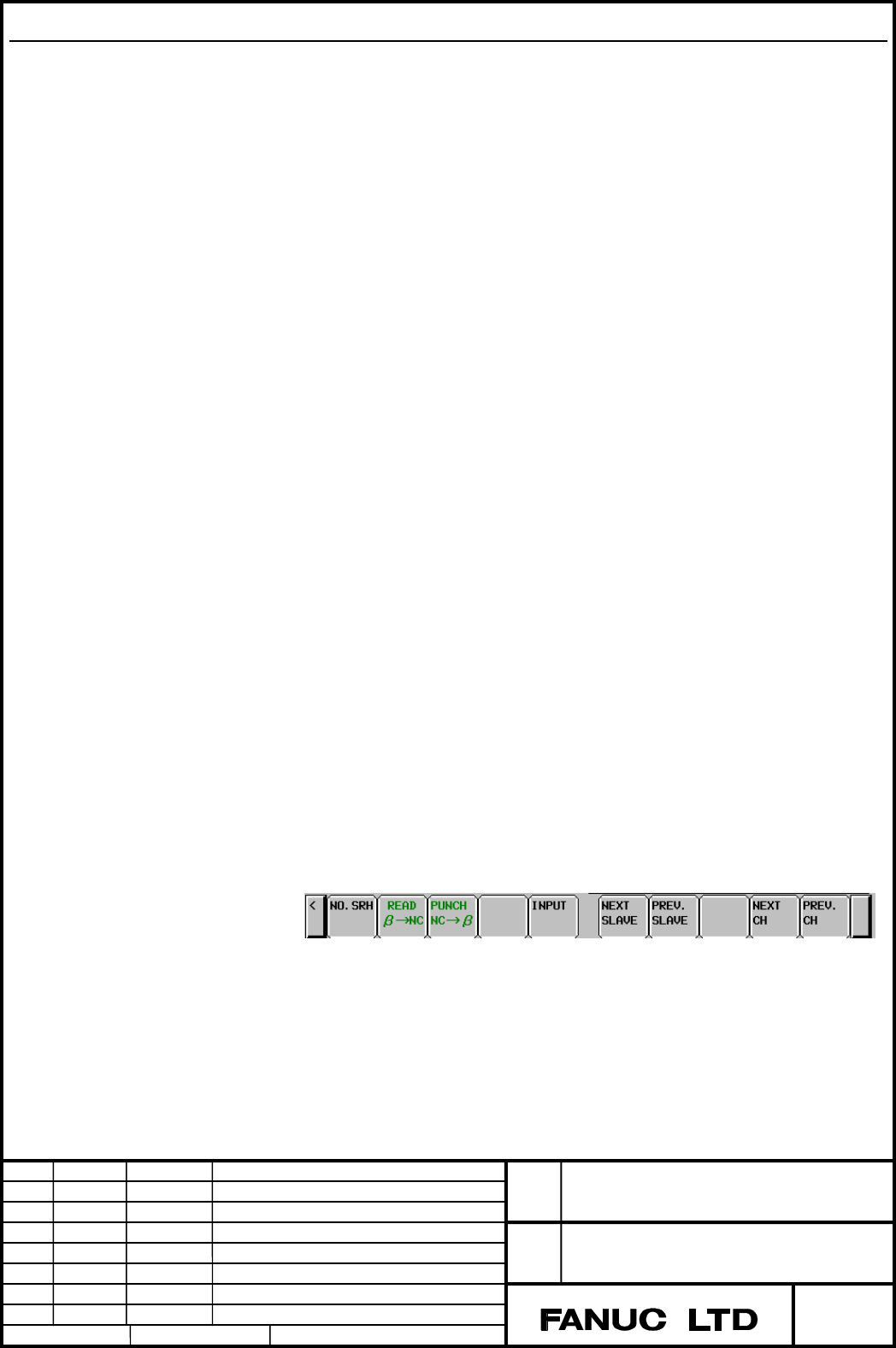
3.Press the [(OPRT)] soft key. The following soft keys appear:
Contents Summary of Series 30i-MODEL A, Power Mate CNC Manager Additional Manual
- Page 1TECHNICAL REPORT NO. TMN 04/020E Date :Mar .30, 2004 General Manager of Software Laboratory FANUC Series 30i-A Newly additional functions 1. Communicate this report to: Your information only GE Fanuc-N, GE Fanuc-E FANUC Robotics MILACRON Machine tool builder Sales agency End user 2. Summary for Sale
- Page 2FANUC Series30i –A newly additional functions Drawing number Functions 1 A-79227E External Data Input 2 A-79226E One Touch Macro call 3 A-79196E Temporary absolute coordinate setting 4 A-79354E System alarm 5 A-79349E Touch Panel Control 6 A-79253E Distance coded linear scale interface 7 A-79364E Li
- Page 3FANUC Series 30i-MODEL A Power Mate CNC Manager Specifications Title FANUC Series 30i-MODEL A Power Mate CNC Manager Draw No. A-79260E 01 Newly Design Edit Date Signature Description page 2004.01.07 1 / 14
- Page 41.1 Power Mate CNC Manager When the FANUC servo unit β series with I/O Link option (I/O Link β) is used as an additional axis (slave) of the CNC, the Power Mate CNC Manager allows the slave data to be displayed and set by the CNC. The Power Mate CNC Manager enables the following display and setting:
- Page 51.1.1 Screen Display 1. Press the SYSTEM function key 2. Press the continuous menu key several times. The P.MATE MGR soft key appears. P.MATE 3. Press the MGR soft key. The absolute current position screen which is the initial screen of the Power Mate CNC Manager, appears. Pressing a soft key enable
- Page 6Current Position Display This screen displays the current position and actual feedrate. The current positions are displayed using the following type of coordinate data. • Absolute coordinate(Current position in the workpiece coordinate system) • Machine coordinate(Current position in the machine coo
- Page 7• Parameter screen The parameters necessary for the functions of the slave must be specified in advance. Press the [PARAM] soft key, parameter screen appears. The screen displays just the bit and decimal data. For details of the parameters, refer to the FANUC SERVO MOTOR β series I/O Link Option MAI
- Page 8Alarm screen If alarm is issued on the slave during operation, “ALARM” is indicated at the slave status field on top of the screen. Then check the detail of the alarm screen. Up to forty codes can be displayed on the screen. For details of the alarm, refer to the “FANUC SERVO MOTOR β series I/O Link
- Page 9Diagnosis This screen shows the current status of the slave. For details of the alarm, refer to the “FANUC SERVO MOTOR β series I/O Link Option MAINTENANCE MANUAL” 1. Press the continuous menu key. 2. Press the [DGNOS] soft key, diagnosis screen appears. • Searching diagnosis data 1. Select a active
- Page 10System configuration screen This screen displays the system software information of the slave. 1. Press the continuous menu key. 2. Press the [SYSTEM] soft key, system configuration screen appears. Example of the of system configuration screen Title FANUC Series 30i-MODEL A Power Mate CNC Manager Dr
- Page 111.1.2 Parameter Input/Output Saving parameters Parameters can be saved in CNC memory or a memory card as a data file of program format. Specify the first digit of the registration program number in parameter 8760. Programs with predetermined numbers are created for individual slaves. When the parame
- Page 124.Press the [READ β →NC] soft key. The following soft keys appear: 5.Press the [EXEC] soft key. During input,”INPUT” blinks in the message field. NOTE 1.Reading parameter is effective when the mode is except MEM mode or in the emegency stop status. 2.In case that the parameter is read to a memory ca
- Page 13Writing parameters The data file of parameter saved in CNC memory or a memory card as a program is written into the slave determined by the program number. The program number and memory device are determined as described in “Saving parameters.” 1.In the multipath system, select path No.1and display
- Page 14Parameter #7 #6 #5 #4 #3 #2 #1 #0 0960 PPE PMN MD2 MD1 [Input type] Setting input [Data type] Bit path #1 MD1 #2 MD2 The slave parameters are input from and output to the following devices: MD2 MD1 0 0 Part program storage 0 1 Memory card #3 PMN Power MateCNC Manager is: 0: Enable 1: Disable(Communi
- Page 158760 Program number of data I/O(Power Mate CNC Manager) [Input type] Setting input [Data type] 2-word path [Valid data range] 0 − 99999999 Set the program number that saves and restores the slave data(parameter) in Power Mate CNC Manager. For a I/O Link β in channel m and group n, the following prog
- Page 16Notes • Connecting an I/O Link When the β amplifier with I/O Link is used as a slave of an I/O Link, the CNC assigns I/O addresses. The salve data is input and output in units of 16 bytes. Therefore, 128 input/output points are necessary. Up to eight slaves can be connected. The module name is OC021