FANUC High Speed Serial Bus for 30i Series Additional Manual Page 12
Additional Manual
EDIT
SHEE
DRAW. NO. CUST.
TITLE
DESCRIPTION DESIG.DATE
FANUC HIGH SPEED SERIAL BUS FOR
30i SERIES CONNECTING AND
MAINTENANCE MANUAL
A
-85114E
12
/
24
(2) Installing Drivers
Driver installation for HSSB interface board is necessary.
The driver for HSSB interface board is included in "Open CNC Drivers Disk” (order number is
A02B-0084-K790). Libraries are included in “FOCAS2 Library Disk” (order number is A02B-0207-K737).
Refer to README.TXT in Driver/Library disks for details of installing drivers.
Node Setting
HSSB icon in Control Panel is appeared after the driver for HSSB interface board is installed.
You should setup CNC settings for each node after the driver is installed or CNC connections are modified.
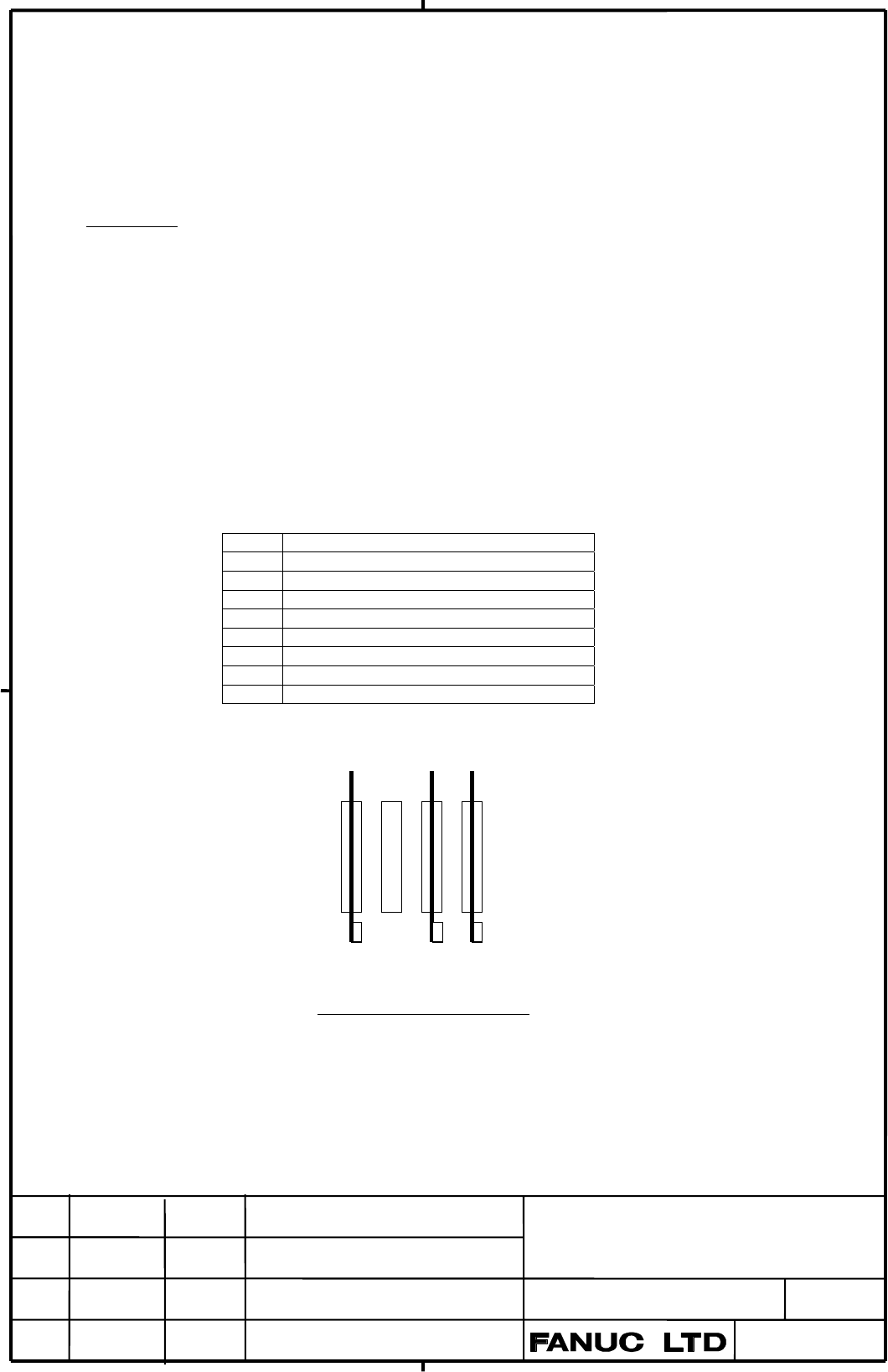
If multiple HSSB connections are exist, node numbers are assigned as bellow order.
- A number of PCI slot
- 1ch connection, then 2ch connection in an interface board.
In case of PANEL i (Pentium 1.2GHz, Celeron 833MHz) HSSB interface boards in PCI slot is assigned first,
then HSSB interface on Backplane is assigned.
Node Connected CNC
0 CNC connected to 1ch on PCI slot 0
1 CNC connected to 2ch on PCI Slot 0
2 CNC connected to 1ch on PCI Slot 2
3 CNC connected to 1ch on PCI Slot 3
4 CNC connected to 2ch on PCI Slot 3
6
7
8
Connection and Node Setting
PCI slot 0
PCI slot 1
PCI slot 2
PCI slot 3
2ch 1ch 2ch
Contents Summary of FANUC High Speed Serial Bus for 30i Series Additional Manual
- Page 1FANUC HIGH SPEED SERIAL BUS FOR 30i SERIES CONNECTING AND MAINTENANCE MANUAL Introduction This manual describes information (electrical and structural specifications) to connect 30 i Series (FANUC series 30i /31 i /32 i /300 i /310 i /320 i/300 is /310 is /320 is) with personal computer or PANEL i b
- Page 2Contents CONNECTING 1. Total Connection .................................................................................. 4 2. Interface Board and Optical Fiber Cable............................................ 5 (1) Usable Combinations of Interface Boards ..........................................
- Page 3CONNECTING TITLE FANUC HIGH SPEED SERIAL BUS FOR 30i SERIES CONNECTING AND MAINTENANCE MANUAL DRAW. NO. CUST. A-85114E SHEE EDIT DATE DESIG. DESCRIPTION 3 / 24
- Page 41. Total Connection Personal Computer HSSB Interface Board for CNC COP21N COP21M1 Option Slot COP21M2 PCI Slot 30i Series CNC (LCD Mount Type) Interface Board for Optical Fiber Cable Connector on a Mainboard Personal Computer (PCI) PANEL i COP21A HSSB Interface Board in Option Slot (Note.2) COP21N C
- Page 52. Interface Board and Optical Fiber Cable (1) Usable Combinations of Interface Boards Interface Board for PANEL i PC(PCI slot type) (Order Number) Order Number Interface Board for PC (HSSB 1ch) A08B-0084-B5xx or Unit A20B-8101-0163 A13B-0196-B5xx (A20B-8101-0161) *1 A08B-0084-B422,B423 Interface Bo
- Page 6(2) Usable Optical Fiber Cables Name Number (xxxxx is length) Maximum Length Remark Optical Fiver Cable B A66L-6001-0026#Lxxxxx *3 50m FSSB external cable Optical Fiver Cable C A66L-6001-0029#Lxxxxx *4 35m *2 Low-loss junction only cable *2: If a junction adapter is used, - Junction point should be
- Page 73. Specification and Environment (1) Specification of Interface Board for Personal Computer • FANUC requires the customer to buy and maintain the personal computer itself. • FANUC is not responsible for proper working about personal computer itself and any troubles caused by using personal computer.
- Page 84. Points to Notice for Handling (1) Points to Notice for Handing HSSB Interface Board For Personal Computer Contents Static Sensitive 1. Electrostatic Protection Interface Board for Personal Computer should be enclosed with static-protective bag during storage and transportation. Ground your body b
- Page 9(3) Points to Notice for Handing Optical Fiber Cables Fragile Handle with care because optical cables are fragile. ・ Optical fiber cable is reinforced with covers and it has enough mechanical strength. But you must not drop heavy materials on it. ・ When plugging and unplugging of the optical connect
- Page 10・ You should fix the part of reinforced cable with cable clamp. (Refer to the follow figure) If cable is not clamped, large tensile strength may be added directly to the connecting part of connection by its own weight. Optical Connector Optical Fiber cord Reinforced Cable Bending radius should be mo
- Page 115. Mounting Method of Interface Board for Personal Computer (1) Mounting Method Never touch the card edge terminals (contacts with card). 1. Remove the covering plate of the personal computer. 2. Insert the interface board for the personal computer to the PCI slot tightly. 3. Screw the plate of inte
- Page 12(2) Installing Drivers Driver installation for HSSB interface board is necessary. The driver for HSSB interface board is included in "Open CNC Drivers Disk” (order number is A02B-0084-K790). Libraries are included in “FOCAS2 Library Disk” (order number is A02B-0207-K737). Refer to README.TXT in Driv
- Page 13MAINTENANCE TITLE FANUC HIGH SPEED SERIAL BUS FOR 30i SERIES CONNECTING AND MAINTENANCE MANUAL DRAW. NO. CUST. A-85114E SHEE EDIT DATE DESIG. DESCRIPTION 13 / 24
- Page 141. System Block Diagram (1) CNC Mainboard HSSB CNC Control Internal JGP COP21A Optical LSI Bus Module (2) Interface Board for CNC HSSB Optical Control JGP COP21N Module LSI (3) Interface Board for Personal Computer 2ch HSSB Optical Control COP21M2 Module LSI HSSB Optical PCI I/F COP21M1 Control Modu
- Page 152. List of Printed Circuit Boards Name PCB Number 30i/31 i A16B-3200-0520 Stand Alone Type CNC 300i/310 i Mainboard 31 i/ 32 i A16B-3200-0521 310 i /320 i Interface Board for CNC 30i Series A20B-8101-0111 A20B-8101-0162 2ch Version Interface Board for Personal (A20B-8101-0160) *1 Computer A20B-8101-
- Page 16(2) Interface Board for CNC PCB Number: A20B-8101-0111 LEDR(RED) JGP BRDYA(GREEN) COP21N LED Color Meaning LEDR ON Red Interface Board internal error has occurred. (This is always OFF.) BRDYA ON Green HSSB connection is normal. (3) Interface Board for Personal Computer PCB Number: A20B-8101-0162、A20
- Page 174. Maintenance Operation(Boot, IPL) (1) Outline Ncboot32.exe can be used for the maintenance of the CNC. Unless otherwise specified, the following examples assume the use of Ncboot32.exe of the Windows 2000/XP version. Ncboot32.exe provides the following functions: - BOOT screen (for CNC system data
- Page 18(3) Boot Screen The area where the file is to be placed can be changed by using the [Setting...] button. Select the memory card on the CNC or folder of personal computer. The file location may be changed at any time. TITLE FANUC HIGH SPEED SERIAL BUS FOR 30i SERIES CONNECTING AND MAINTENANCE MANUAL
- Page 19(4) System Data Operation The following screen is used for operating system data (including control software and ladder programs) on the CNC. [Load...] opens the file selection screen. Specify a file to be loaded. [Save] saves the selected NC system data in a file. [Check] checks the selected NC sys
- Page 20(6) File Operation The following screen is used for operating files on a memory card in the CNC or in a folder of personal computer. [Delete] deletes a selected file. [Format] formats the memory card. This button is valid when the memory card is selected by [Setting...] [Refresh] updates the file li
- Page 21APPENDIX TITLE FANUC HIGH SPEED SERIAL BUS FOR 30i SERIES CONNECTING AND MAINTENANCE MANUAL DRAW. NO. CUST. A-85114E SHEE EDIT DATE DESIG. DESCRIPTION 21 / 24
- Page 221. Outline (1) Interface Board for Personal Computer (PCI) PCB Number: A20B-8101-0162, A20B-8101-0160 (2ch version) A20B-8101-0163, A20B-8101-0161 (1ch version) Unit: mm -0163 -0162 -0161 -0160 TITLE FANUC HIGH SPEED SERIAL BUS FOR 30i SERIES CONNECTING AND MAINTENANCE MANUAL DRAW. NO. CUST. A-85114
- Page 23(2) Optical Fiber Cable Optical fiber cord length: 1~50 m Optical fiber cord diameter: 2.2 mm x 2 cores Reinforce cable diameter: 7.6 mm Tensile strength: Reinforce cable: 75 kg Optical fiber cord: 7 kg / a core Optical fiber cord-connector: 2 kg Minimum bending radius: Optical fiber cord: 25 mm Rei
- Page 24(3) Low-loss Optical Junction Adapter Order Number : A63L-0020-0004 Unit:mm a. External view of low-loss optical junction adapter b. Example of use of low-loss optical junction adapter Low-loss Optical Junction Adapter Low-loss Optical Fiber Cable Low-loss Optical Fiber Cable Panel TITLE FANUC HIGH